
Here’s the short answer, because you might have a test tomorrow.
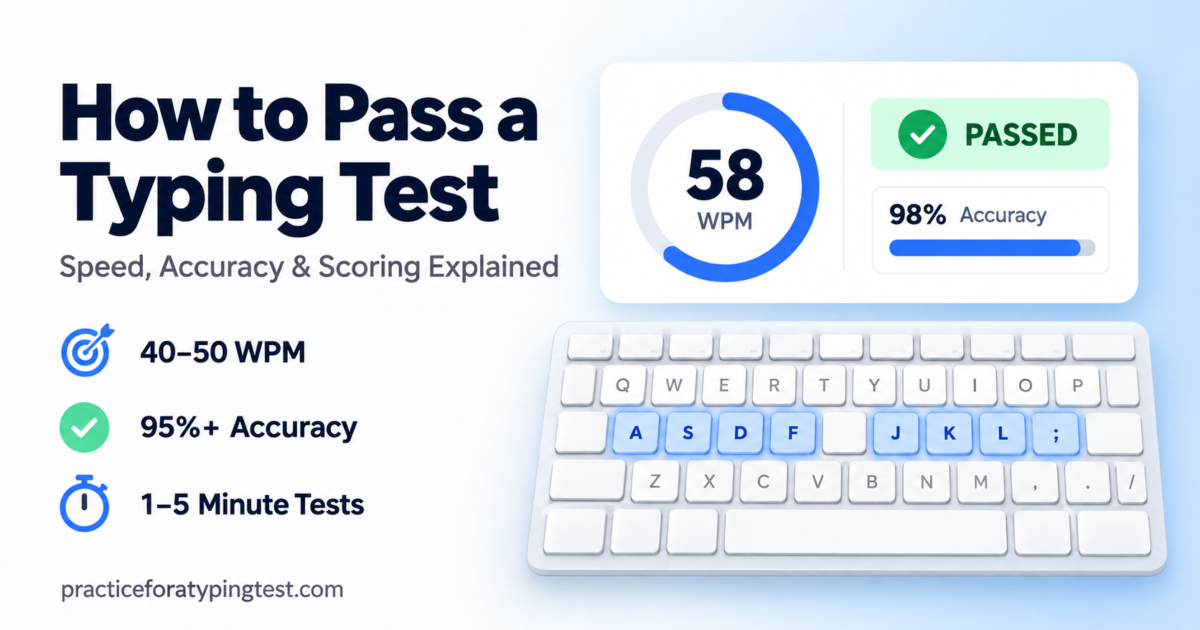
To pass most job typing tests, you need about 40-50 net words per minute with at least 95% accuracy. “Net” means your mistakes get subtracted from your speed.
So the real secret isn’t typing faster. It’s typing cleanly, practicing with a timer running, and training about 10 WPM above what the job asks for, because nerves will steal some of that speed on test day.
Not sure where you stand yet? Take a free typing test first. It takes one minute, and you’ll know exactly how far you are from passing.
Now let me tell you how I learned all this the hard way.
The first time I got an email that said “Please complete a 5-minute typing assessment,” my stomach dropped.
I typed every single day. Emails, blog posts, long messages to my family. I thought I was fast.
Then the timer appeared in the corner of the screen. And my fingers forgot everything they knew.
I made mistakes. I panicked about the mistakes. Then I made more mistakes.
If that sounds like you, keep reading. Everything below is what I wish someone had told me before that test.
So What Does Passing Actually Mean?
Most people think a typing test just checks speed. It doesn’t.
Employers usually look at three numbers:
- Gross WPM: how fast you typed, mistakes included.
- Accuracy: what percentage of your characters were correct.
- Net WPM: your speed after the mistakes are taken away.
Net WPM is the one that really matters. It’s the number that lands on the hiring manager’s screen.
And here’s a small detail that surprises people. A “word” isn’t really a word. It’s any five characters, and spaces and punctuation count too. So long words don’t hurt you, and short words don’t help you.
How Fast Do I Really Need to Type?
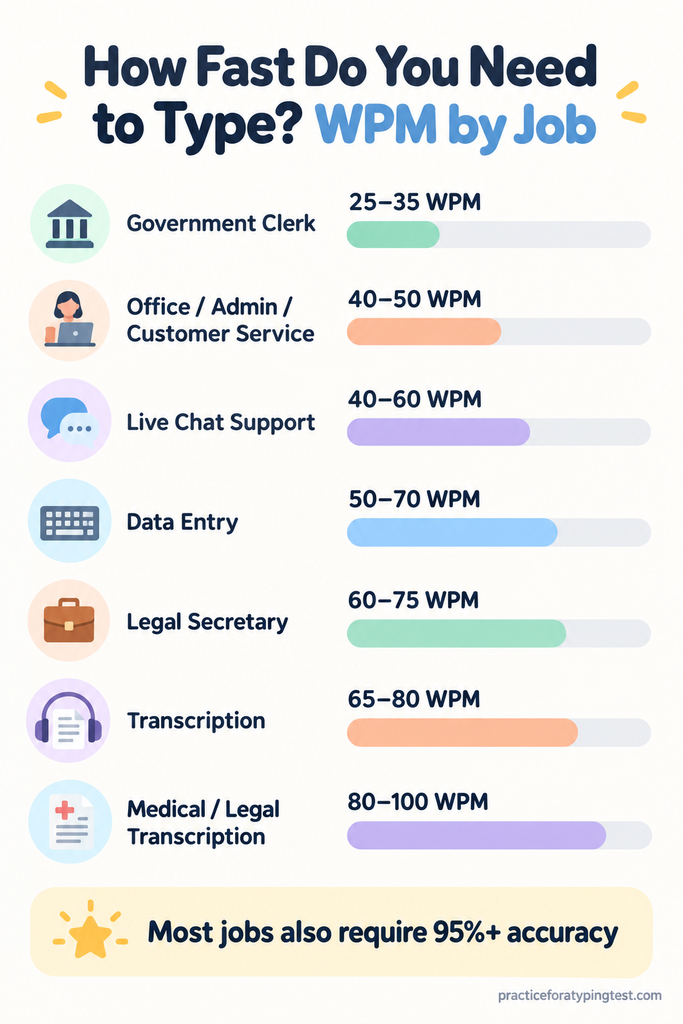
It depends on the job. Here’s a simple guide:
| Job type | Typical speed needed | Accuracy |
| Government clerk (Pakistan / India) | 25–35 WPM | 92–95%+ |
| General office, admin, customer service | 40–50 WPM | 95%+ |
| Live chat support | 40–60 WPM | 95%+ |
| Data entry | 50–70 WPM | 97–98%+ |
| Legal secretary | 60–75 WPM | 97%+ |
| Transcription (general) | 65–80 WPM | 98%+ |
| Medical / legal transcription | 80–100 WPM | 98%+ |
Before you practice anything, find the exact number in the job ad or the test invite. If it isn’t there, it’s completely fine to email the recruiter and ask.
Then check your typing speed and compare your result to the table above. The gap between your number and the job’s number tells you how much work you actually have ahead.
Why does this matter? If the job needs 40 and you’re chasing 70, you’re wasting weeks. If the job needs 60 and you’re happy at 45, you’ll get a polite rejection email.
But How Do They Score My Mistakes?
This part changed everything for me.
Most tests use a simple formula:
Net WPM = Gross WPM − (errors ÷ minutes)
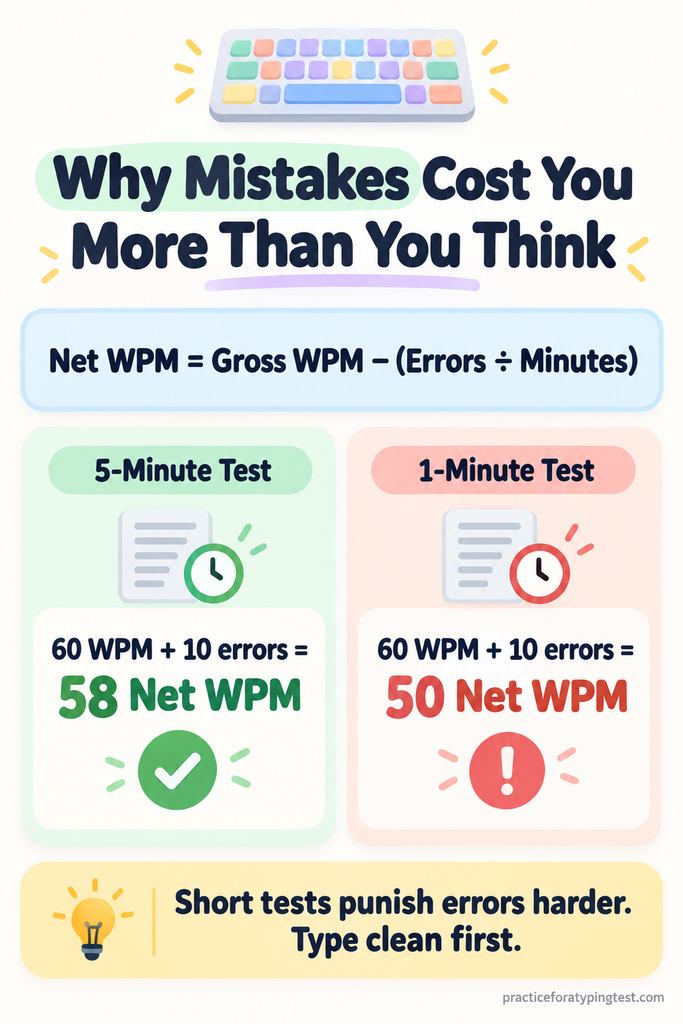
Let’s say you type 60 WPM and leave 10 mistakes behind.
- On a 5-minute test, you lose 2 WPM. Your score is 58. Not bad.
- On a 1-minute test, you lose 10 WPM. Your score is 50. Ouch.
See the difference? Short tests punish every mistake five times harder. And some popular employer tests are only one minute long.
That’s why a calm 50 WPM with two errors almost always beats a frantic 65 WPM with twelve.
Can I Use Backspace?
Usually, yes. But check first.
Most online employer tests let you fix mistakes freely, and fixed mistakes don’t count against you. They just cost you a second or two each.
Some government tests are stricter. A few only let you correct the word you’re typing and the one just before it. Some disable backspace completely.
So read the instructions screen slowly. Don’t click “Start” until you know the rules.
How Do I Get Faster Before the Test?
This depends on how much time you have. Pick your situation below.
If you have 3-4 weeks
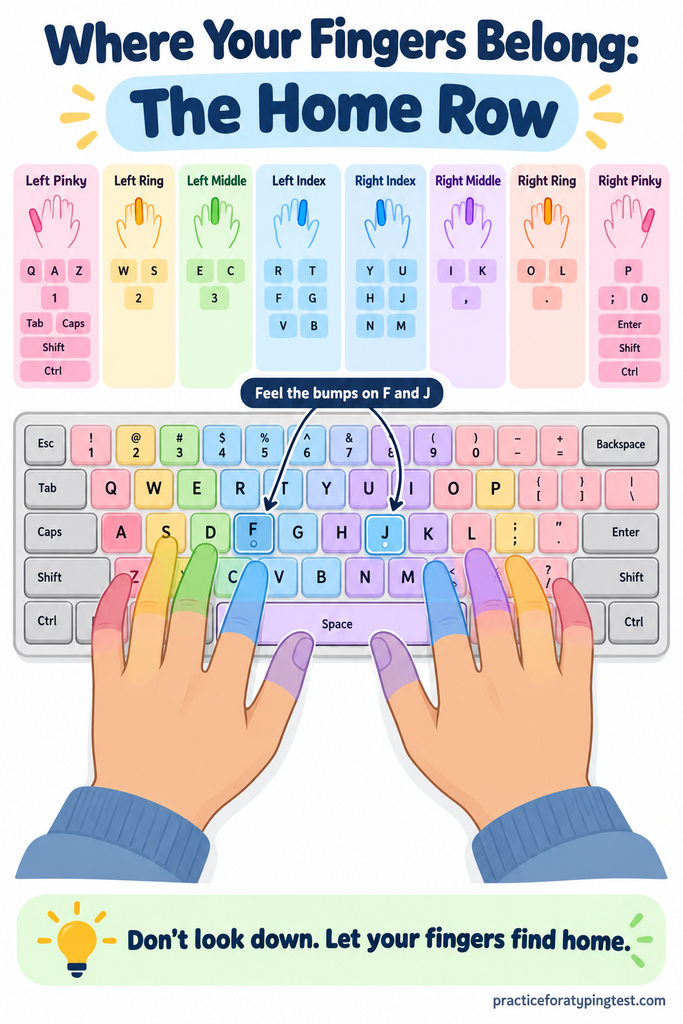
Week 1: Slow down on purpose. Put your index fingers on F and J (feel the little bumps). Type without looking at the keyboard. Your speed will drop, maybe a lot. That’s normal. You’re rebuilding the foundation.
Week 2: Short, daily practice. Do two or three 15-minute sessions spread across the day instead of one long session. Tired fingers make sloppy mistakes, and sloppy mistakes become habits.
Week 3: Practice real test material. Job tests rarely use simple sentences. They use business text full of capital letters, numbers, dollar signs, percentages, and quotation marks. If you only ever practice easy words, “$45.2 million” will stop you cold.
Week 4: Do full, timed practice tests. Make timed runs on our free typing practice test part of your daily routine, and write down your WPM and accuracy every time. Watching those two numbers climb over a week is the best motivation I know.
Want to go deeper on building speed? Our full guide on how to type faster breaks it down by where you’re stuck right now.
If you have one week
Don’t try to learn a new technique now. Seriously.
Switching from four fingers to ten a few days before a test usually makes you slower. Instead, keep your current method and practice accuracy at your current speed. Take a timed typing test every day and aim to cut your error count, not raise your WPM.
If your test is tomorrow
Do one or two relaxed practice runs. Then stop.
Get some sleep. Cramming at midnight won’t build muscle memory, but it will make you tired and shaky.
What About the 10-Key Test?
Some data entry jobs also test the number pad on the right side of the keyboard.
These tests use KPH (keystrokes per hour) instead of WPM. Requirements often land somewhere between 7,000 and 10,000+ KPH for numeric entry.
If your job ad mentions “10-key,” practice on a real keyboard with a number pad. Your right hand rests on 4, 5, and 6, with your middle finger on the bumped 5 key.
Quick tip: for regular typing, KPH ≈ WPM × 300. So 60 WPM works out to about 18,000 KPH.
What Should I Do on Test Day?
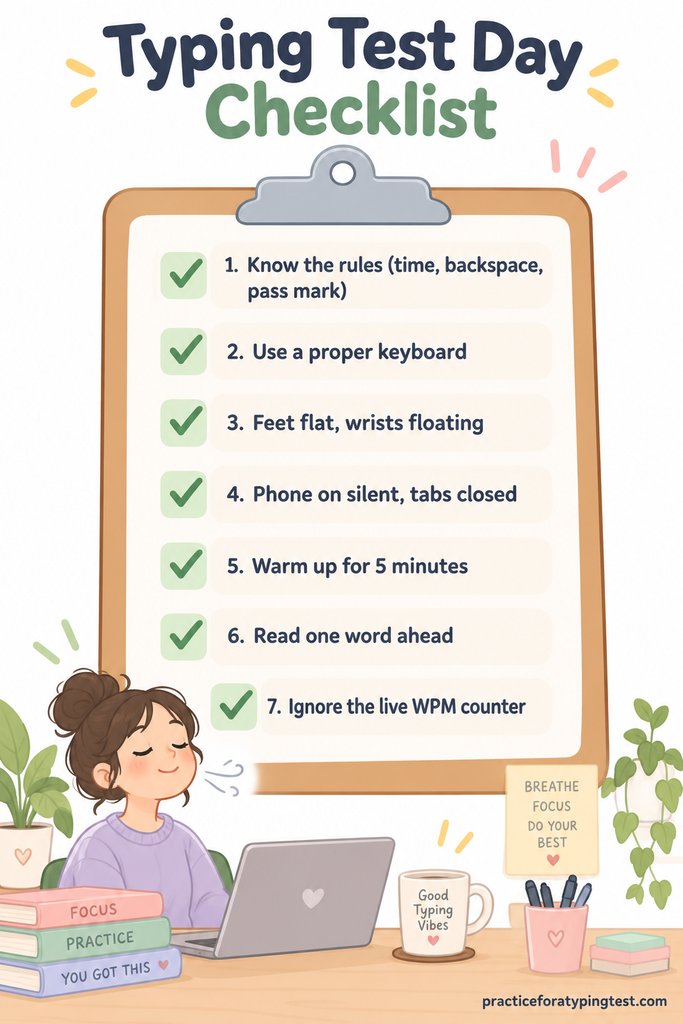
Here’s my checklist. I still go through it every time.
- Know the rules. Test length, backspace allowed or not, and the pass mark.
- Use a proper keyboard if you’re testing from home. A cheap USB keyboard beats a laptop keyboard for most people.
- Fix your setup. Feet flat, elbows at your sides, wrists floating, screen at eye level.
- Silence everything. Phone on silent, extra tabs closed, notifications off.
- Warm up for 5 minutes. One easy run on a free online typing test gets your fingers moving before the real thing.
- Read one word ahead. While your fingers type the current word, your eyes should already be on the next one.
- Ignore the live WPM counter. Watching it only makes you rush.
Taking the test at a government exam centre? Expect basic, sometimes stiff keyboards. Practice on an ordinary office keyboard beforehand so it doesn’t throw you off.
FAQs
But what if my fingers freeze?
It happens. It happened to me.
Here’s what helps. Take one slow breath before you start. Then type the first ten seconds deliberately slowly, like you’re warming up an engine.
Once you find a rhythm, speed comes on its own. Think “steady” rather than “fast.”
And if you make a mistake, don’t stop to be upset about it. Fix it quickly if the rules allow, or let it go and keep moving. One error costs you a tiny fraction of a point. Freezing for five seconds costs you far more.
What if I don’t pass?
First, breathe. It’s not the end.
Ask the recruiter politely whether you can retake the test. It never hurts to ask, and for jobs where typing isn’t the main duty, a slightly low score is sometimes overlooked.
One thing I’d never do is try to cheat. Modern tests block copy-paste and watch your keystroke patterns, and many employers simply retest you in person later. Getting caught costs you the job and your reputation with that company.
So can you really pass a typing test?
Yes. Almost anyone can.
With focused daily practice, most people gain 10–15 WPM in about a month. That’s often the exact gap between failing and passing.
Remember the formula: clean first, fast second, and train above the target.
So here’s your first step, and it takes just 60 seconds. Start your free typing test now. There’s no signup. Write down your WPM and accuracy, then come back tomorrow and beat it.
You’ve got this. Good luck with your test.
